Replacing Front Wiper Blades
Chapter 8 · Manual page 332
- Keep the bonnet closed.
- To put the wipers into service mode: You can set the path on the central screen: “General” - “Vehicle Power Supply” to turn off the vehicle power supply. Operate the wash and wipe button to Single Wipe position (see ‘Wipe and Wash’ in ‘Before Using the Vehicle’ section) and release within 20 seconds after powering off the vehicle, the wiper will automatically move to service position, and stop on the windscreen. You can also set the path on the central screen: “General” - “Wiper Maintenance Mode” - “On/Off” , then the wiper will automatically move to service position, and stop on the windscreen.
- Lift the wiper arm away from the windscreen.
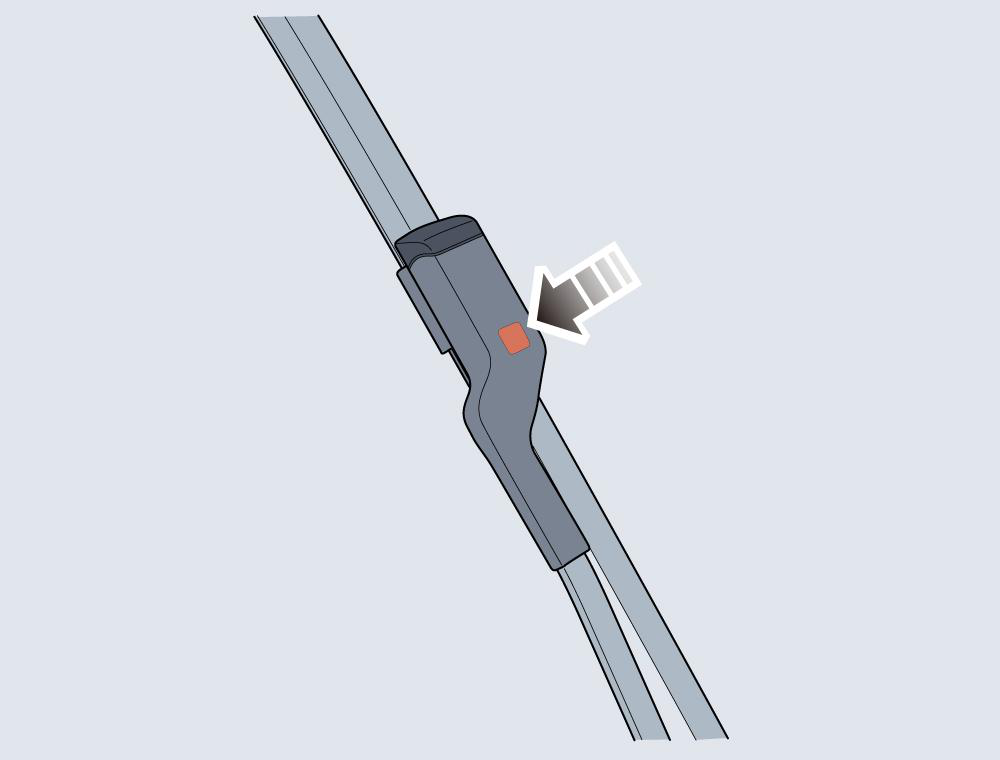
- Press the button on the wiper arm (as illustrated), and pull the upper end of the wiper blade outward to disengage from the wiper arm.
- Unhook the wiper blade from the wiper arm and discard it.
- Locate a new wiper blade into the slot of the wiper arm.
- Push the wiper blade towards the wiper arm until the wiper blade is fully embedded.
- Place the wiper assembly on the windscreen and check whether the wiper blade is fitted correctly to the wiper arm.
- After the vehicle is powered on, press the wiper switch again,the wiper will exit the service mode and automatically return to its original position.You can also set the path on the central screen: “General” - “Wiper Maintenance Mode” - “Off”,the wiper will exit the service mode and automatically return to its original position.