Operation of Door Lock System (Key)
Chapter 2 · Manual page 32
Smart Key Using the remote key to lock/unlock: short press the lock/unlock button to lock the vehicle after closing the doors, bonnet and tailgate; short press the lock/unlock button again to unlock the vehicle.
When the vehicle is locked, use the remote key to unlock; if no other operations are carried out within a period of time, the vehicle will automatically lock.
Mechanical Key Using the mechanical key to lock/unlock: pull open the driver side door handle, and insert the key into the lockhole. Rotate anticlockwise to lock the vehicle; rotate clockwise to unlock the vehicle.
After unlocking the vehicle with the mechanical key if you do not sit in the driver seat (place power on) or operate the locking system with the smart key or NFC card, then the alarm will sound after a short time.
NFC Card Lock: With the vehicle unlocked, after exiting the vehicle and closing all doors, bonnet and tailgate, use a valid NFC card to touch the NFC card swiping area on the B Pillar exterior trim panel on the driver side, hold in place for several seconds and the vehicle will lock.
Unlock: With the vehicle in a fully locked and armed state, use a valid NFC card to touch the NFC card swiping area on the B Pillar exterior trim panel on the driver side, hold in place for several seconds, the vehicle will unlock.
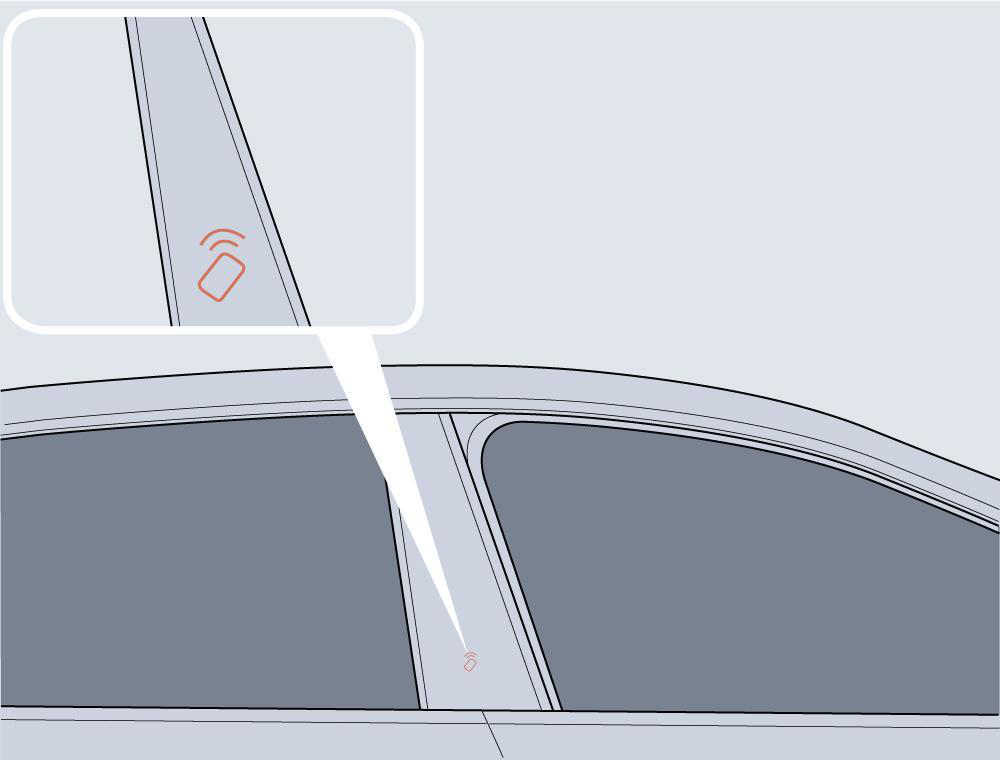
When the vehicle is locked, use the NFC card to unlock; if no other operations are carried out within a period of time, the vehicle will automatically lock.
After the vehicle is unlocked with the NFC card, if the maximum valid time to start the vehicle is exceeded, the vehicle cannot be started, in which case, please put the NFC card on the NFC sensing area in the centre console.
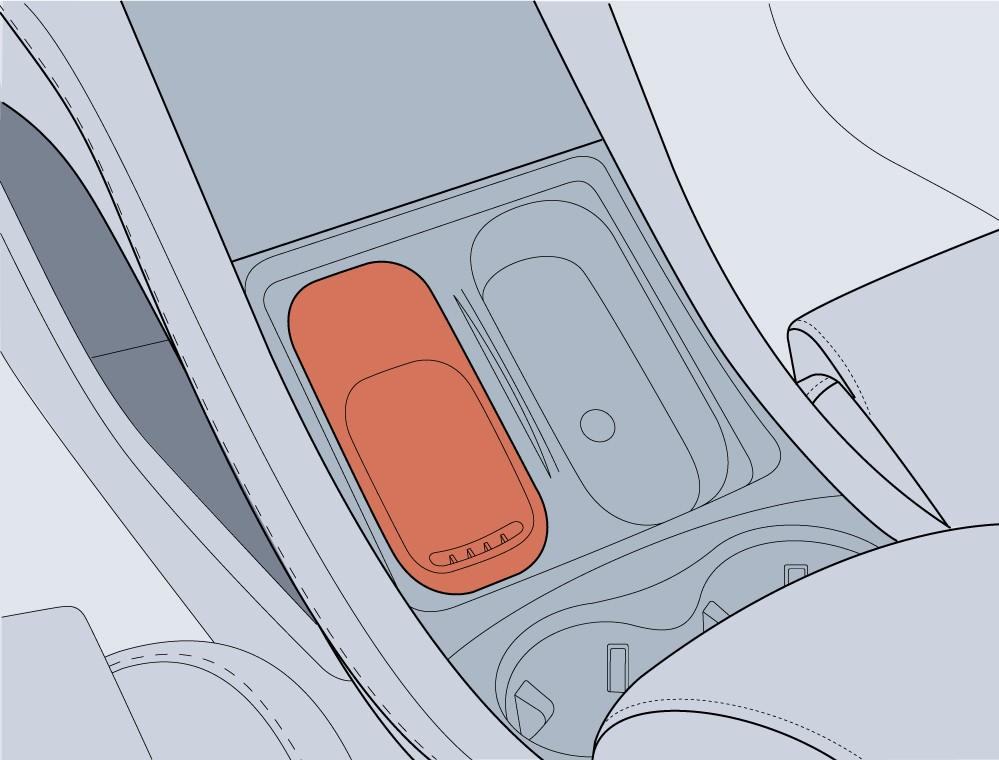
When NFC entry/start module fails, please contact an Authorised Repairer in time.