Reading Light
Chapter 2 · Manual page 53
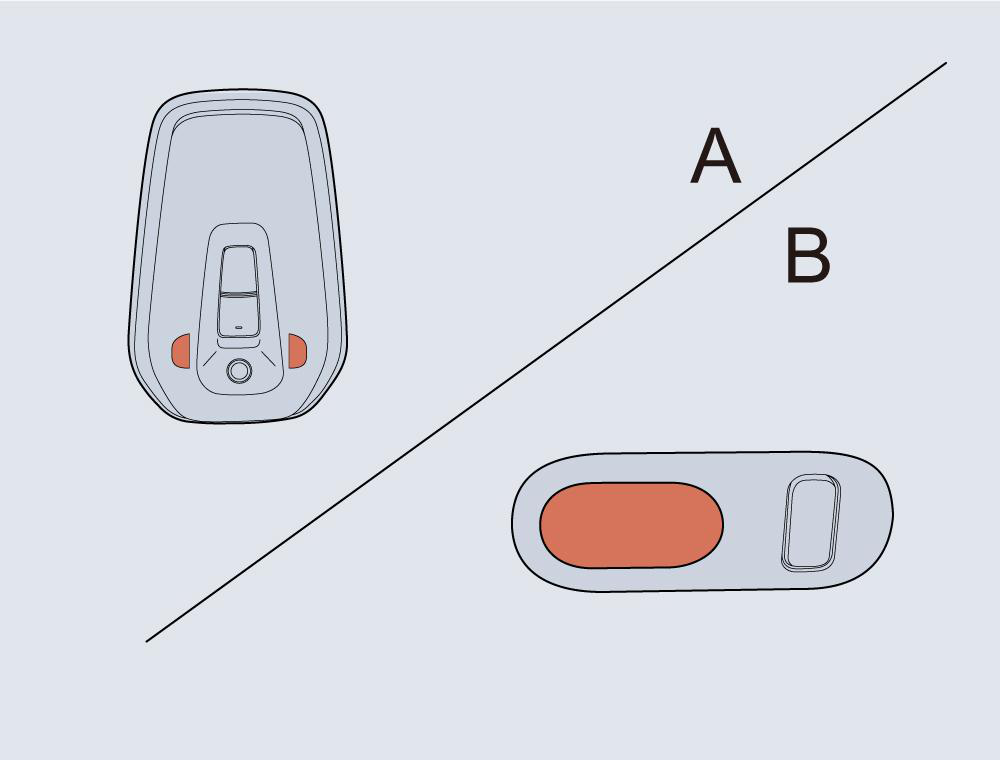 The front reading light (A) is located on the overhead console above the windscreen. Rear reading lights (B) are located on both sides of the roof headlining. Touch switch control Briefly touch the touch switch on either side of the front reading light, as shown in figure A, to operate the front reading light on the corresponding side. Briefly touch the touch switch again switch the front reading light off on the corresponding side. Briefly touch the touch switch on the rear reading light, as shown in the figure B, to operate the corresponding light. Briefly touch the touch switch again to switch the light off. Central screen control All on/off Click the “Full” button of the reading light in the Interior Light Control interface of the central screen, and all the front and rear reading lights will illuminate. Click the button again, and all the front and rear reading lights will extinguish. Brightness adjustment The brightness settings of the reading light includes Gentle, standard. and Bright. Click the reading light brightness level in the Interior Light Control interface of the central screen to adjust the brightness of the reading light. Automatic control Click the “Door Open Illumination” button in the Interior Light Control interface of the central screen to enable or disable the automatic control function. With the function enabled, when any door is opened, the front and rear interior lights will come on automatically. Note: Under normal circumstances, if the doors are left open beyond a preset time the front and rear reading lights will extinguish automatically. Note: When the vehicle is locked, the reading lights will extinguish.