Control Page
Chapter 3 · Manual page 136
In the “Music” APP on the central screen, you can click the Radio and Bluetooth/USB to switch between different types of audios.
 With radio selected, users can choose different radio channels to listen to different programs.
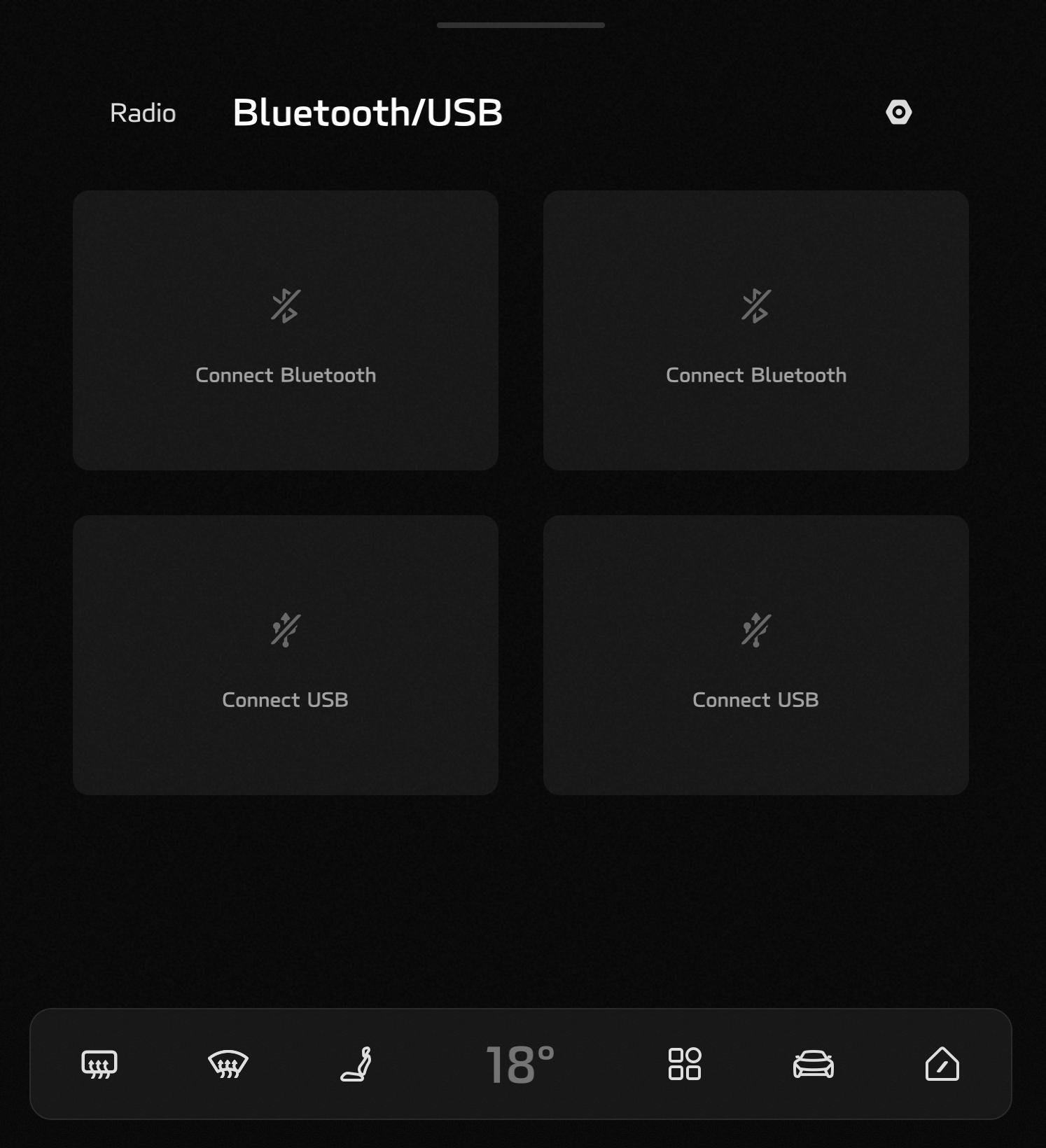
Bluetooth/USB Music Bluetooth/USB Music includes: Bluetooth music and USB music; Bluetooth music allows music to be played from a suitable mobile phone by setting up the vehicle to mobile phone Bluetooth connection with up to two Bluetooth mobile phones supported at the same time; USB music is able to play music files stored on a USB by inserting a suitable USB, with up to two USBs supported at the same time.
When you lick the “Please Connect Bluetooth” button, the Bluetooth Connection page will pop up automatically. After successful connection, the mobile phone’s name will be displayed, and you can select and play the music from the mobile phone; when two Bluetooth mobile phones are connected, you can switch between the play sources by clicking the different Bluetooth device icons.
After you insert the USB, the USB icon will display the name corresponding to the USB, and directly play the music stored on the USB; you can click the USB icon to enter and view the folders and select desired songs; when two USBs are connected at the same time, you can switch between the play sources by clicking the different USB icons.
You can control the music through the left roller of the steering wheel. Dial up or down to increase or decrease volume, press down to pause play, and swipe left or right to toggle music that is playing.
With radio selected, users can choose different radio channels to listen to different programs.
Bluetooth/USB Music Bluetooth/USB Music includes: Bluetooth music and USB music; Bluetooth music allows music to be played from a suitable mobile phone by setting up the vehicle to mobile phone Bluetooth connection with up to two Bluetooth mobile phones supported at the same time; USB music is able to play music files stored on a USB by inserting a suitable USB, with up to two USBs supported at the same time.
When you lick the “Please Connect Bluetooth” button, the Bluetooth Connection page will pop up automatically. After successful connection, the mobile phone’s name will be displayed, and you can select and play the music from the mobile phone; when two Bluetooth mobile phones are connected, you can switch between the play sources by clicking the different Bluetooth device icons.
After you insert the USB, the USB icon will display the name corresponding to the USB, and directly play the music stored on the USB; you can click the USB icon to enter and view the folders and select desired songs; when two USBs are connected at the same time, you can switch between the play sources by clicking the different USB icons.
You can control the music through the left roller of the steering wheel. Dial up or down to increase or decrease volume, press down to pause play, and swipe left or right to toggle music that is playing.