Vehicle Settings
Chapter 3 · Manual page 106
Settings display
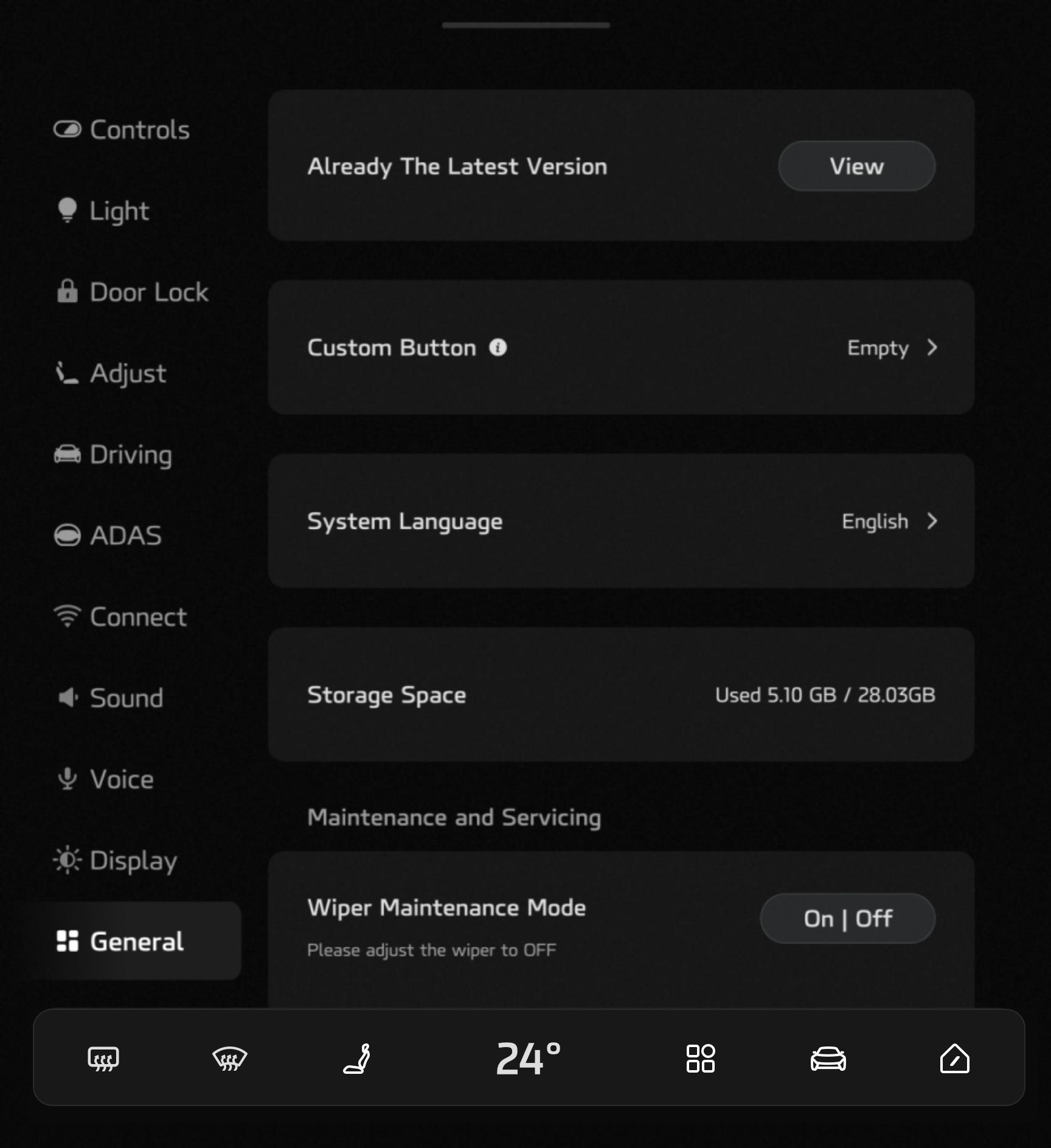 The settings menu includes:
Controls (exterior lamps, wipers, exterior rearview mirror adjustment, steering wheel adjustment, windows, energy regeneration level, body stability control system switch, etc.); refer to “Exterior Lighting”, “Coasting Energy Regeneration”, and “Steering Wheel Adjustment” for details.
Lights (welcome mode, ambient lighting, door opening warning, reading light, headlamps); refer to “Interior Lighting” and “Intelligent Light Assist” for details.
The settings menu includes:
Controls (exterior lamps, wipers, exterior rearview mirror adjustment, steering wheel adjustment, windows, energy regeneration level, body stability control system switch, etc.); refer to “Exterior Lighting”, “Coasting Energy Regeneration”, and “Steering Wheel Adjustment” for details.
Lights (welcome mode, ambient lighting, door opening warning, reading light, headlamps); refer to “Interior Lighting” and “Intelligent Light Assist” for details.
The user can set the headlamp delay switch to ON or OFF here.
Door Lock (windows, child locks, vehicle unlocking, tailgate height); refer to “Rearview Mirror” and “Starting the Power System” for details. Adjust (Driver, Passenger, Seat memory, Driver convenience, Mirror tilt when reversing);refer to “Seat”, “Rearview Mirror” and “Steering Wheel”. Driving (driving mode selection, SUPER ECO, ERS, Passenger airbag, Driver Distraction Warning, Driver Fatigue alarm, Tow mode); refer to “Shifting and Driving”, “Suspension”, and “Auto Hold” for details. ADAS (Pilot, Proactive Vision Supplement System, Speed Limit Warning*, Forward Collision Warning, Rear Collision Assist, Dynamic Zone Tracking, Lane Departure Assist Mode, Emergency Lane Keeping*); refer to “ADAS” for details. Link (Bluetooth, Hot spot, Wireless network, Wireless charging, Device Left Behind Warning); refer to “Phone” for details. Sound (Sound Effect, Panoramic Sound Simulator, Directed Broadcast, Volume, Tone); refer to “Smart Acoustic System” for details. Voice (Voice language, Voice Wakeup “Hello IM”, Greeting switch). Display (Automatic adjustment, Display Mode, Turn off screen, Screen cleaning mode, Time).
The user can set the brightness or automatic adjustment of the central screen and smart scenario screen; set the appearance of the screen display; and set the time display.
General (custom buttons, system language, storage space, maintenance and servicing, system restore, vehicle power); refer to “Turn On/Off Vehicle Power” for details.
Users can select the required language in “System Language”.
Privacy (Global Data Service).
After agreeing to the “Privacy Policy”, users can turn switch on the Global Data Service and obtain the authorization to use DVR, Third-party Apps, Map and Voice for 24 months.