Silent Search
Chapter 5 · Manual page 233
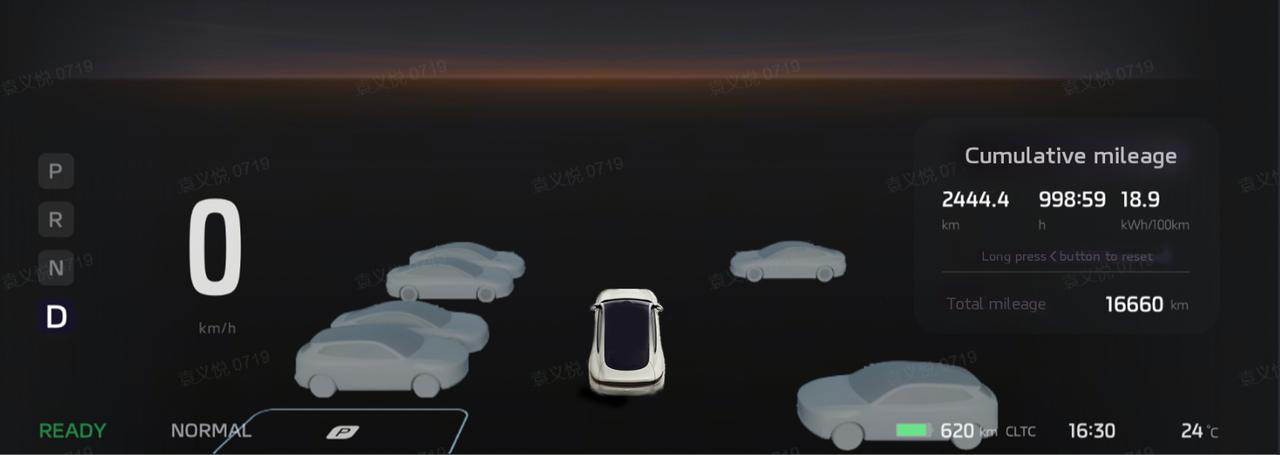
When you drive into places such as a special parking lot, a road parking lot, a non-parking lot without marking lines (temporary roadside parking area, temporary parking area in open space), and when the speed is below 9mph (15km/h) in D-gear mode, the silent search function automatically starts to silently look for nearby parking spaces without any operation from you. A parking space icon will be displayed on the instrument screen when an available parking space is identified. Tip: The parking space icon is displayed only when the parking space complies with the S-APA with Fusion [APA] functional dimensions and space requirements, and the vehicle position and surroundings also meet the APA requirements.
 Tip: In R-gear mode, when the reverse speed is below 5mph (8km/h), the silent search function may also automatically look for available
parking spaces in the close vicinity (In R-gear mode, the silent search function only supports perpendicular parking spaces with clear
marking lines and a spacial perpendicular parking space without clear marking lines).
You may use the silent search function to complete parking using the following steps:
Tip: In R-gear mode, when the reverse speed is below 5mph (8km/h), the silent search function may also automatically look for available
parking spaces in the close vicinity (In R-gear mode, the silent search function only supports perpendicular parking spaces with clear
marking lines and a spacial perpendicular parking space without clear marking lines).
You may use the silent search function to complete parking using the following steps:
- When a parking space icon is displayed on the instrument screen, if you want to park into one of the parking spaces, you should brake and stop the vehicle, observe if the selected parking space and its surroundings are suitable and safe for parking, and determine if the identified space is suitable for parking.
- The APA can be enabled quickly in the following methods Method 1: Engage in R gear if currently not in this gear to quickly enable APA, and the APA interface will appear in the central screen; Tip: Method 1 is available only when the”Quick One Touch Parking”setting button is set to ‘ON’, which is in “Settings”on the APA interface. Method 2: Click the “Park” button on the HOME interface of the central screen to quickly enable and go to the APA interface; Method 3: Click the “Park” button in One Touch iAD on the APP menu interface of the central screen to quickly enable and go to the APA interface; Method 4: Click the “Park” button on the 360 interface to quickly enable and go to the APA interface.
- After selecting and determining the identified parking space, click “Start Parking” After entering APA interface, select and determine the identified parking space, and click “Start Parking”to use the APA to assist in parking the vehicle into the identified parking space. For detailed use guidance, warnings and important notes, please refer to “Instructions for Using One Touch Park”. Function Limitation and Errors:
- Dark or low-light environments will significantly reduce the sensor’s perception capability, which can affect the smooth operation of the function.
- Rainy, foggy, snowy or extremely cold or hot and other adverse/severe weather environments will significantly effect the sensor’s perception capability, which can affect the correct operation of the sensor.
- When other intelligent driver assistance functions are working, the silent search function cannot be enabled.
- When the vehicle speed is above 9mph (15km/h), the silent search function will be automatically exited.
- The silent search function does not work when driving on ramps.
- The opening of a door or the bonnet or trunk causes the silent search function to exit. The warnings, limitations, or error examples above do not cover all of the conditions that may affect the proper operation of the silent search function, therefore the driver must remain attentive when using the function, always prepare to take over, and take full responsibility for the safety of the vehicle and surroundings at all times.